Key takeaways
- USB and XLR outputs on one mic
- Companion app for EQ and auto-leveling
- Cardioid-style dynamic capsule design
Podcast microphones are optimized for close-up spoken word rather than music or ambient recording, favoring rejection of room noise and a flattering vocal tone over wide frequency response.
Top Picks
Shure MV7
A hybrid USB/XLR podcast mic that bridges the gap between plug-and-play simplicity and professional broadcast quality.
- USB and XLR outputs on one mic
- Companion app for EQ and auto-leveling
- Cardioid-style dynamic capsule design
Pros: Works as a simple USB mic now and an XLR mic later with an audio interface; Auto-level/EQ software makes beginners sound more polished; Durable all-metal build.
Cons: Pricier than basic USB podcast mics; Needs a boom arm/stand (not usually included).
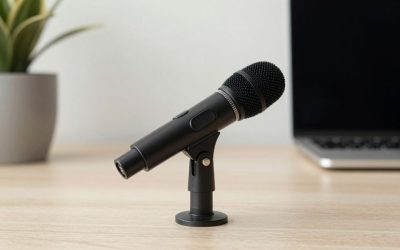
RØDE PodMic
A dynamic XLR microphone built specifically for podcasting and streaming voice work, commonly paired with an audio interface or mixer.
- XLR dynamic capsule
- Internal pop filter
- Broadcast-style all-metal body
Pros: Excellent voice tone for the price; Rejects background noise well due to dynamic design; Pairs well with Rode’s budget audio interfaces.
Cons: Requires an audio interface or mixer — no USB output; Needs a boom arm for proper positioning.
HyperX QuadCast
A USB condenser mic aimed at streamers and podcasters who want built-in shock mounting and tap-to-mute convenience without extra accessories.
- Built-in anti-vibration shock mount
- Tap-to-mute sensor on top
- Multiple pickup pattern options
Pros: Simple USB plug-and-play setup; Shock mount reduces desk-bump noise without a separate stand; Tap-to-mute is genuinely convenient during live streams.
Cons: Condenser design picks up more room echo than dynamic mics; Less upgrade path than XLR-based options.
Audio-Technica AT2020USB+
The AT2020USB+ brings Audio-Technica’s respected studio mic lineage to a simple USB-only design, aimed at first-time podcasters who want solid vocal capture without learning an XLR interface workflow.
- Cardioid condenser capsule
- USB plug-and-play connection
- Built-in headphone output for monitoring
Pros: Clean, detailed vocal capture; simple USB setup; trusted brand.
Cons: Condenser design is more sensitive to room noise than dynamic mics like the Shure MV7.
Blue Yeti
Blue’s Yeti remains one of the most recognized USB microphones on the market, and while it is a condenser rather than the dynamic capsules more common in dedicated podcast mics, its multiple pattern selection (cardioid, omnidirectional, bidirectional, stereo) adds flexibility for podcast formats with multiple guests in the same room.
- Multiple selectable polar patterns
- USB plug-and-play
- Built-in gain and mute controls
Pros: Pattern flexibility is useful for varied recording setups; widely compatible; easy to find support and accessories for.
Cons: Condenser capsule is more room-sensitive than dynamic podcast mics; large desktop footprint.
Buying Tips
- USB mics are simpler to start with; XLR mics need an interface or mixer but scale better if you add more mic inputs later.
- Dynamic mics (like the PodMic) reject room echo and background noise better than condensers — useful if you don’t have a treated recording space.
- A boom arm and shock mount reduce desk vibration and handling noise more than most buyers expect.
- If you plan to eventually record multiple guests, confirm whether your interface/mixer has enough mic inputs for growth.
- If you record podcasts in an untreated room (no acoustic panels or carpet), a dynamic mic like the Shure MV7 or RODE PodMic will generally sound cleaner than a condenser, since dynamic capsules reject more ambient room noise and echo by design. If more than two people will ever sit around a single mic at once, pattern flexibility becomes a genuinely useful feature rather than a nice-to-have — most dedicated one-person podcast mics lock you into cardioid only.
For two or more co-hosts in the same room, a single omnidirectional mic sometimes works better than each host using their own cardioid mic, since it avoids phase issues from overlapping pickup patterns — though most dedicated podcast setups still prefer one cardioid mic per person for cleaner individual editing control in post-production. Desk setup also affects podcast mic performance more than buyers expect. A boom arm that isolates the microphone from desk vibrations (keyboard typing, hand movements) reduces a surprising amount of low-frequency rumble compared to a mic sitting directly on a desktop stand, regardless of which specific microphone you choose from this list.
FAQ
USB or XLR microphone for a first podcast setup?
USB is the easier starting point with no extra hardware; XLR becomes worthwhile once you want multiple mics or more control over gain staging.
Do I need acoustic treatment with a dynamic podcast mic?
Less than with a condenser mic, since dynamic capsules naturally reject more room noise, but some soft furnishings still help reduce echo.
Can a podcast mic double as a streaming mic?
Yes — most podcast-focused dynamic and USB condenser mics work equally well for live streaming voice chat and commentary.
Do I need a separate audio interface for a USB podcast microphone?
No — USB podcast mics like the ones on this list connect directly to a computer without a separate interface, which is a big part of their appeal for beginners; XLR mics need an interface or mixer in addition to the microphone itself.
Is pattern flexibility (cardioid, omni, etc.) actually useful for most podcasters?
For solo or two-host setups with each person on their own mic, cardioid is almost always the right choice; omnidirectional or stereo patterns mainly help niche cases like a single mic capturing a round-table conversation with several people.
Shure’s MV7 offers the most future-proof hybrid setup, Rode’s PodMic delivers classic broadcast tone on a budget, and HyperX’s QuadCast keeps things simple for streamers who want zero extra accessories.
Write Your Review
No reviews yet. Be the first to share your experience!