DJI’s Mini line is the default recommendation for almost every first-time drone buyer, but the lineup itself creates a real decision: pay more for the Mini 4 Pro’s safety features, or save a meaningful amount of money with the Mini 3 and fly a little more carefully. Both are sub-250g, foldable, and capable of genuinely good-looking 4K footage — the differences come down to sensors, transmission range, and a few camera specs that matter more for some shooters than others.
The headline difference is obstacle avoidance. The Mini 4 Pro has omnidirectional sensors — front, back, top, and bottom — that actively detect obstacles and help the drone stop or reroute before a collision. The Mini 3 has none of that; it relies entirely on the pilot seeing and avoiding obstacles manually. For flying over open water, beaches, or wide fields, this difference barely matters. For flying near trees, buildings, or anywhere airspace gets tight, it matters a lot, especially in the first few months of ownership when judgment about distances is still developing.
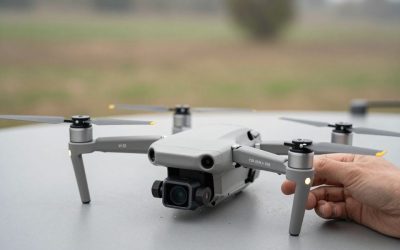
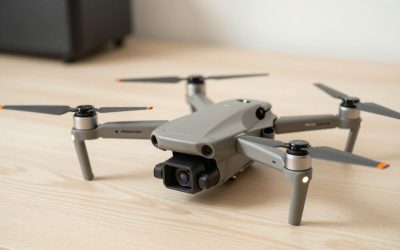
DJI Mini 4 Pro
Beyond obstacle avoidance, the Mini 4 Pro also supports DJI’s O4 transmission system for a longer, more reliable control range, true vertical shooting for social-media-ready 9:16 clips without cropping, and slightly better low-light performance thanks to a larger sensor. Flight time rounds out around 34 minutes per battery.
Pros: obstacle avoidance prevents real beginner mistakes, native vertical video for Reels/TikTok/Shorts, longer control range. Cons: a real price jump over the Mini 3 for features you may rarely push to their limits.
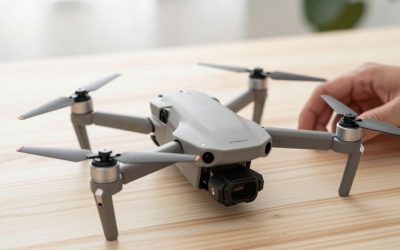
DJI Mini 3
The Mini 3 keeps the core formula — same sub-250g weight class, same foldable design, same basic DJI Fly app experience — while dropping the sensor suite and vertical-shooting hardware tilt that the Pro model added. Image quality for standard horizontal 4K footage is still genuinely good; the gap is smaller in daylight and widens in trickier lighting or when you need the camera gimbal to physically rotate for vertical framing.
Pros: most of the Mini 4 Pro’s image quality at a noticeably lower price, same easy foldable form factor. Cons: no obstacle sensors, no native vertical shooting, shorter transmission range.
How to choose: if you’ll mostly fly in open areas — beaches, lakes, fields, wide landscapes — the Mini 3’s savings are hard to argue against, since obstacle avoidance isn’t doing much work when there’s nothing nearby to avoid. If your flying will regularly happen near trees, buildings, power lines, or anywhere space is tight, or if you create vertical-first content for TikTok and Reels, the Mini 4 Pro’s extra cost buys real, usable features rather than just a spec-sheet bump.
A Budget Alternative Worth Knowing About
DJI Mini 2 SE: If both the Mini 4 Pro and Mini 3 are still more than you want to spend, DJI’s Mini 2 SE drops down to an older sensor and 2.7K video ceiling (rather than 4K) but keeps the same sub-250g, no-registration-required weight class and basic GPS-assisted flight. It is a genuinely entry-level option for someone who wants to learn drone flying fundamentals before investing in a 4K-capable model.
Firmware updates are worth factoring into a long-term comparison, not just launch-day specs. DJI regularly pushes feature updates to its Mini line through the DJI Fly app, and newer models tend to receive updates for longer after purchase than older ones nearing end-of-life support, which affects how long either drone stays fully current. Insurance and accidental-damage coverage is also worth pricing into either purchase — DJI’s own Care Refresh plans cover accidental crash damage for a modest monthly or annual fee, which matters more for a Mini 4 Pro given its higher replacement cost if a crash is not something your homeowner’s or renter’s policy would cover.
FAQ
Is the image quality difference noticeable to viewers?
In good daylight, most viewers won’t spot the difference in a finished, color-graded video. The gap shows up more in challenging light and in footage shot vertically, where the Mini 3 requires cropping instead of native rotation.
Can I add aftermarket obstacle sensors to a Mini 3?
No — obstacle avoidance is built into the drone’s hardware and firmware; it can’t be retrofitted onto a model that didn’t ship with it.
Do both drones use the same batteries and accessories?
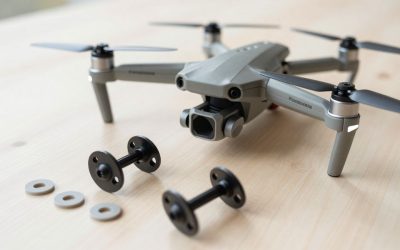
No, DJI generally changes battery and propeller specs between generations, so batteries, propellers, and some accessories are not interchangeable between the Mini 3 and Mini 4 Pro lines — check compatibility before buying spares.
Which one holds resale value better?
Newer, higher-spec models like the Mini 4 Pro typically hold value a bit longer simply because they stay “current” longer before the next generation replaces them, but both depreciate at a fairly similar rate once a successor model ships.
Do I need a drone license to fly either the Mini 3 or Mini 4 Pro?
In the US, both fall under the FAA’s sub-250g weight class, which simplifies registration requirements for recreational flying, but you should still check current FAA rules and any Remote ID requirements before your first flight, since regulations are updated periodically.
Is it worth buying the Fly More Combo instead of the standalone drone?
For most buyers, yes — the Fly More Combo’s extra batteries typically cost less bundled than purchased separately later, and having 2-3 batteries on hand turns a single short flight session into a full afternoon of flying.
Write Your Review
No reviews yet. Be the first to share your experience!