Key takeaways
- Software-controlled brightness/temperature (no physical dial needed)
- Desk clamp mount included
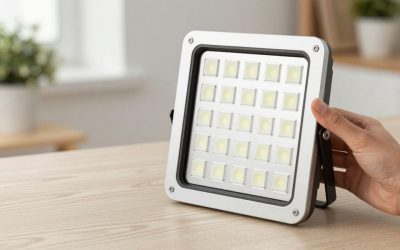
- Even panel-style diffusion
A dedicated key light is built specifically for desk-mounted, face-forward lighting — the standard setup for streamers, remote workers on video calls, and desk-based YouTube content.
Top Picks
Elgato Key Light
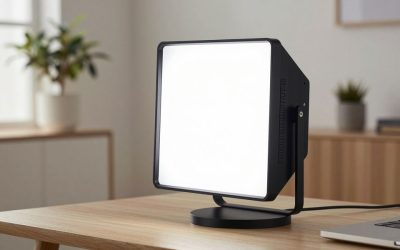
A widely used panel light built specifically for streaming setups, controlled directly through software on your computer.
- Software-controlled brightness/temperature (no physical dial needed)
- Desk clamp mount included
- Even panel-style diffusion
Pros: Deep software integration with streaming/control tools; Clamp mount keeps desk space clear; Consistent, even output for face lighting.
Cons: Requires the desk clamp or separate stand purchase for some setups; Higher price than basic panel lights.
Elgato Key Light Air
A lighter, more compact version of the standard Key Light, aimed at smaller desks or secondary-light use.
- Lighter panel than the standard Key Light
- Same software control ecosystem
- Desk clamp mount included
Pros: Smaller footprint for tighter desk setups; Same convenient software control as the full-size version; Good as a fill light alongside a primary Key Light.
Cons: Less total output than the full-size Key Light; Still priced at a premium versus generic panels.
Logitech Litra Glow
A compact, webcam-adjacent light designed for streamers and video-callers who want simple, reliable face lighting without a software ecosystem commitment.
- Small clip/desk mount form factor
- Physical and software brightness/temperature control
- USB-powered
Pros: Simple setup, works well clipped to a monitor; Good value for single-person desk lighting; Decent output for its compact size.
Cons: Smaller diffusion area than full panel lights; Less suited to multi-person framing.
Logitech Litra Beam
Logitech’s Litra Beam steps up from the compact Litra Glow with a larger panel and higher output, aimed at streamers who want more adjustable light spread and the option to add softbox-style diffusion.
- Larger panel than Litra Glow
- Adjustable color temperature
- Magnetic mount and tripod options
Pros: More even light spread than small compact lights; simple physical controls; good battery life on battery version.
Cons: Larger footprint than Key Light Air; pricier than basic panel lights.
Neewer 480 RGB LED Panel Light
Neewer’s 480 RGB panel brings adjustable color output to the key-light category at a lower price than Elgato or Logitech’s dedicated streaming lights, trading some of their polish and app integration for a noticeably lower cost of entry.
- RGB + bi-color white modes
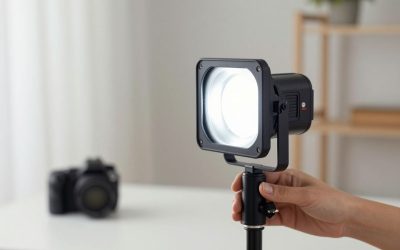
- Barn doors included for light shaping
- Stand and remote included
Pros: Much cheaper than Elgato/Logitech options; barn doors help control spill; remote control included.
Cons: Build quality and app integration (if any) trail the dedicated streaming brands; bulkier stand-mounted design.
Buying Tips
- Software-controlled lights are convenient for streamers already using control-deck style software, but a physical dial is faster for quick manual adjustments.
- Clamp-mounted key lights keep desk space clear compared to lights that need their own stand.
- For video calls, a smaller, monitor-mounted light (like Litra Glow) is often enough; streamers doing longer broadcasts may want a full panel.
- Position the key light slightly above and in front of your face, angled down, to avoid harsh shadows under the chin.
- Mounting flexibility matters as much as brightness for streaming setups — a light that clamps to a monitor or desk arm keeps your workspace clear, while stand-mounted lights (like Elgato’s Key Light) need floor or desk space that a cramped setup may not have. If your light sits close to a wall behind your setup, light spill onto that wall can wash out your background on camera — barn doors or just angling the light more carefully both help control this.
For video calls specifically, placement often matters more than which light you buy. A key light positioned slightly above and in front of your face, angled down about 15-30 degrees, reduces harsh shadows under the eyes far more effectively than the same light placed directly behind the webcam at eye level. Desk space and cable routing are easy to overlook when comparing key lights on brightness and color accuracy alone. A clamp-mounted light that attaches to a monitor or desk edge keeps your actual desktop clear for keyboard and notes, while a stand-mounted light needs its own footprint, which matters more in smaller home office setups than product photos tend to suggest.
FAQ
Do I need a key light if my room already has good lighting?
Ambient room light is often inconsistent in color temperature and direction; a dedicated key light gives more predictable, flattering results on camera.
Key light or ring light for streaming?
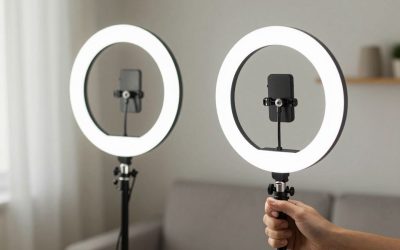
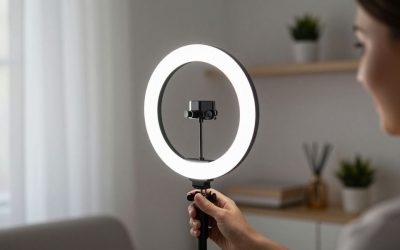
Key lights (panel-style) tend to look more natural for side-angle streaming setups; ring lights are better suited to direct face-on camera angles.
Can I use two key lights for a more professional look?
Yes — a key light plus a smaller fill light (like a Key Light Air or Litra Glow) reduces shadows and adds more three-dimensional lighting.
Do I need a key light if my room already has good overhead lighting?
Overhead room lighting often creates unflattering shadows under the eyes and nose on camera — a dedicated key light positioned at face height, even a modest one, usually improves video call appearance more than stronger but poorly angled overhead light.
Do I need barn doors or other light-shaping accessories for a basic streaming setup?
Not required, but barn doors help prevent light from spilling onto a wall behind you or into a webcam lens directly, which is a common beginner mistake that barn doors or simple flags correct cheaply.
Elgato’s Key Light remains the streaming-software-integrated standard, its Air variant suits smaller desks or fill-light duty, and Logitech’s Litra Glow is a simpler, budget-friendly alternative for video calls.
Write Your Review
No reviews yet. Be the first to share your experience!