Key takeaways
- Full RGB color range plus bi-color white modes
- Built-in lighting effect presets (e.g. flash, strobe simulation)
- App or remote control
RGB lights add colored backlighting, mood lighting, and creative effects to a shoot — popular for gaming setups, music content, and stylized backgrounds behind talking-head videos.
Top Picks
NEEWER RGB660 PRO
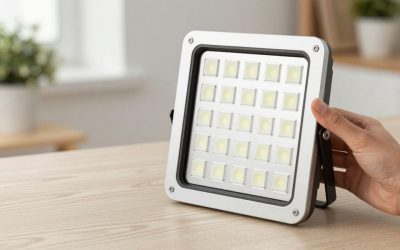
A full-color RGB LED panel built for video use, with a wide color range and preset effects beyond simple color change.
- Full RGB color range plus bi-color white modes
- Built-in lighting effect presets (e.g. flash, strobe simulation)
- App or remote control
Pros: Doubles as both a creative color light and a standard white light; Preset effects add production value without extra editing; Good output for background/accent use.
Cons: Not designed as a primary key light for faces; App control adds a setup step for some users.
Godox ML60 RGB
A COB-style RGB light with strong output, aimed at creators who want RGB effects with Bowens-mount modifier compatibility.
- 60W-class RGB COB output
- Bowens mount for modifiers
- App-based color/effect control
Pros: Stronger raw output than flat RGB panels; Modifier compatibility adds versatility; Good for both accent and semi-key use.
Cons: Bulkier than slim RGB panels; Higher price than basic RGB strip-style lights.
Govee RGBIC Panel Light
A consumer RGBIC light panel often used as a backdrop or background accent light behind a desk or streaming setup.
- RGBIC (multi-zone color) panels
- App and voice assistant control
- Modular, linkable panel design
Pros: Very flexible app control with scenes/music sync; Affordable way to add background color variety; Modular panels let you customize the layout.
Cons: Built for ambient/background use, not as a key light; Less rugged than dedicated video-production RGB lights.
Elgato Ring Light
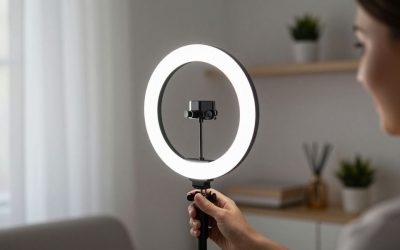
Elgato’s Ring Light is designed specifically for streaming and video calls, with millions of adjustable color combinations and tight integration with Elgato’s Stream Deck and Control Center software for creators already in that ecosystem.
- RGB + white color modes
- Elgato Control Center app integration
- Desk clamp and stand options
Pros: Deep color customization; strong software integration; reliable build quality.
Cons: Pricier than generic RGB panels; most useful if already using other Elgato gear.
Luxli Viola
Luxli is a respected name in film and broadcast RGB lighting, and the Viola brings that production-grade color accuracy and app control down to a creator-accessible size, aimed at buyers who want RGB color that actually holds up under color-critical review rather than just looking good to the eye.
- RGBAW color mixing
- Precise app-based color control
- Compact, lightweight panel
Pros: Noticeably more accurate color rendering than consumer RGB panels; precise app control; compact for its output.
Cons: Priced well above consumer RGB panels like NEEWER or Govee; smaller light spread than larger panels.
Buying Tips
- RGB lights work best as background or accent lighting — pair them with a proper key light for your face rather than relying on RGB alone.
- Preset effects (strobe, flash, fire-flicker) can save editing time but check whether they’re built-in or require a specific app.
- Bowens-mount RGB lights give you more creative control if you later add modifiers like gels, grids, or softboxes.
- For a desk or gaming setup, modular panel-style RGB lights are easier to arrange than fixed-shape units.
- If color accuracy for on-screen presentation matters (product reviews, color-sensitive content), treat RGB modes as a creative tool rather than your primary light — use a high-CRI white mode as the base light and RGB color as an accent rather than the sole source. Reserve higher-accuracy (and higher-priced) RGB lights for anywhere they light your face or product directly, and save consumer-grade panels for background or accent use where small color shifts are far less noticeable.
App and software control is a meaningful differentiator in this category beyond raw brightness. Lights with a dedicated app let you save and recall specific color/brightness presets for different content types, which saves real setup time compared to manually dialing in settings on a physical panel every session. For streamers and vloggers who switch between a plain white look and colorful RGB accents often, a light with saved custom presets saves real setup time compared to manually redialing color and brightness values at the start of every session, which is worth checking for in the app or physical control scheme before buying.
FAQ
Can an RGB light be used as my main video light?
It can, but RGB panels are generally optimized for color effects rather than flattering, even face lighting — most creators use them as secondary/background lights.
Do RGB lights sync with music?
Many consumer RGB panels (like Govee’s) include music-sync modes via their companion app; dedicated video RGB lights focus more on manual color/effect control.
What’s the benefit of RGBIC over standard RGB?
RGBIC allows multiple colors to display simultaneously across different zones of the same light, rather than one solid color at a time.
Do RGB lights work well as a primary light, or only for background accent color?
Most RGB panels include a white or high-CRI mode suitable as a primary light; the colored modes are generally better used as background or accent lighting rather than the main light on your face, where accurate color rendering matters more.
Do I need production-grade color accuracy for casual RGB background lighting, or is a consumer panel fine?
For background accent color behind a subject, a consumer panel like Govee or NEEWER is generally fine; production-grade accuracy mainly matters if the RGB light is lighting the subject’s face directly and needs to match other color-critical sources.
Neewer’s RGB660 PRO is the most video-production-focused option, Godox’s ML60 RGB adds modifier flexibility, and Govee covers background/ambient accent lighting on a budget.

Write Your Review
No reviews yet. Be the first to share your experience!